Skip to content

How to turn off recommendations on YouTube

Turn off your YouTube watch history and clear it, and the Home page stops showing video recommendations. Up next, the column beside the video you're watching, still shows them. The checklist below covers the built-in steps. For what's left, the extension has a switch for each spot.
Add to ChromeComing to the Chrome Web StoreTry the demo
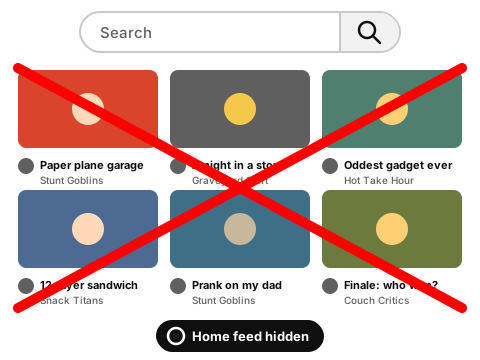
Drawing of a Home page with its grid of videos crossed out in red, the search box left at the top and a Home feed hidden badge

Try it on a demo page

Switch on Hide Home feed or Hide Up next. The video grid and the sidebar go away, and the search box stays.

Made-up channels and videos. The rules behave the way they do in the extension.

Showing all 13 items. Nothing is hidden yet.

14:02
Filling my sister's garage with 5,000 paper planes

Stunt Goblins

27:41

I spent a whole night inside a furniture store

Graveyard Shift

18:40

Reacting to the weirdest gadget ever sold

Hot Take Hour

22:17

The 12-layer sandwich challenge (ASMR edition)

Snack Titans

Shorts

Stay until the last second

Loop Rocket
Relaxing clay carving ASMR

Calm Corner
My cat vs. the new printer

Furry Chaos
This 5-second desk trick

Minute Fixes
11:55
Rubber snake prank on my dad (he jumped)

Stunt Goblins

16:08

Season finale spoiler talk: who really won?

Couch Critics

What YouTube gives you

Built-in settings checklist

Do these in YouTube on your computer. Nothing on this page connects to your account.

0 of 3 done
Limits of the built-in way

  • Watch history powers other YouTube features too. Turning it off changes more than the Home page.
  • Up next still shows suggestions beside the video you're watching, even with history off.
  • "Don't recommend channel" and "Not interested" only shape recommendations. Those channels and videos still come up in search.

How the extension turns off recommendations

  1. 1

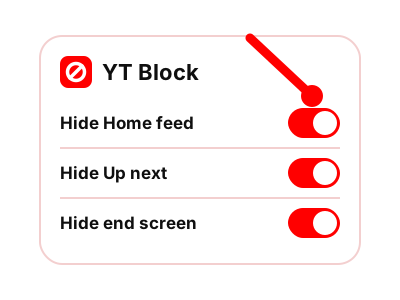
    It has a separate switch for each place YouTube puts recommendations: the Home feed, Up next and the end screen.

    Drawing of the YT Block panel with three switches turned on: Hide Home feed, Hide Up next and Hide end screen, and a red pointer on the first
    Three switches in the panel: Hide Home feed, Hide Up next and Hide end screen.
  2. 2

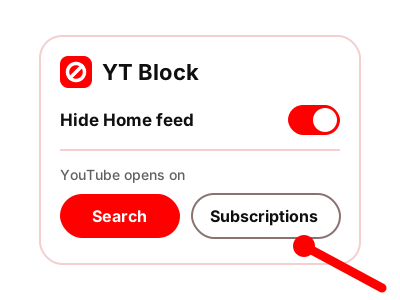
    With the Home feed off, YouTube opens on a search box. You can set it to open on your Subscriptions instead.

    Drawing of the YT Block panel with the Hide Home feed switch on, a choice between Search and Subscriptions, and a red pointer on Subscriptions
    The Hide Home feed switch, and what YouTube opens on: Search or Subscriptions.
  3. 3

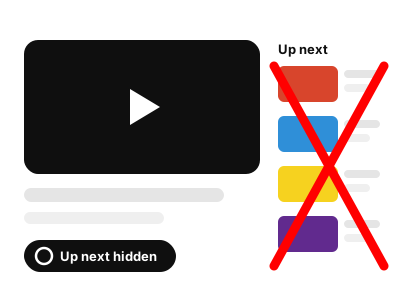
    With Up next off, the column next to the player is gone. With the end screen off, so is the grid that appears when a video finishes.

    Drawing of a video player with the Up next column beside it crossed out in red and an Up next hidden badge
    Up next hidden: the column beside the player is crossed out.
  4. 4

    Your watch history can stay as it is. The switches hide parts of the page in your browser and leave your account alone.

Shorts have their own switch, covered on the Shorts page. Channels, keywords and everything else the extension hides are on the YT Block home page.

Questions about turning off recommendations

Can I turn off recommendations without an extension?

Partly. Turn off and clear your watch history, and Home stops showing video recommendations. Up next keeps showing them.

Do "Not interested" and "Don't recommend channel" hide videos from search?

No. They change what YouTube recommends to you. Those videos and channels still appear when you search.

Do I have to turn off watch history to use the extension?

No. The extension hides parts of the YouTube page in your browser. It doesn't change your history settings or anything else in your account.

How do I stop the next video from playing by itself?

Use the Autoplay switch in the YouTube player. The grid of suggestions at the end of a video is a separate thing, and the end screen page covers it.

Switch off recommendations once and keep them off

The extension gives the Home feed, Up next and the end screen a switch each.

Coming to the Chrome Web Store

Coming to the Chrome Web Store

The extension is being finished and isn't in the store yet. Until then, the tools on this site work right here in your browser.