 14:02
SG
Filling my sister's garage with 5,000 paper planes
Stunt Goblins
The YouTube phone app has a daily limit for the Shorts feed, and you can set it to zero minutes. On a computer, we didn't find a setting like that. To hide Shorts in your browser, you need an extension.
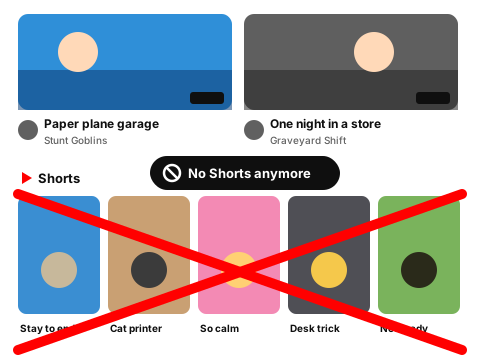
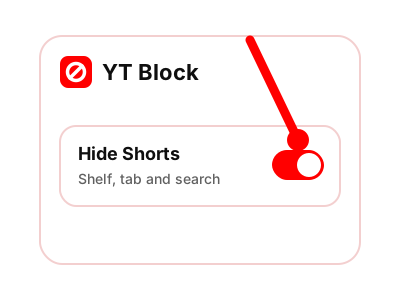
Turn on Hide Shorts. The Shorts shelf leaves the feed and the regular videos stay. You can also press Block channel on a card.
Made-up channels and videos. The rules behave the way they do in the extension.
Showing all 11 items. Nothing is hidden yet.
14:02 27:41
 18:40
Shorts

Stay until the last second
Loop Rocket

Relaxing clay carving ASMR
Calm Corner
My cat vs. the new printer
Furry Chaos
This 5-second desk trick
Minute Fixes

She did not see this snake coming
Stunt Goblins
 22:17
 11:55
 16:08
Everything here matched your rules. On YouTube you'd see only what's left. Press Reset demo to bring it back.
In Chrome on a computer, that's what the extension's Hide Shorts switch is for. If you only want to watch one Short in the regular player, start with the tool below.
Paste a youtube.com/shorts/… link. You get the regular watch?v=… link for the same video. It opens in the normal player, with a seek bar and without the endless feed. Nothing leaves your browser.
The extension adds a Hide Shorts switch to youtube.com. Turn it on and these go away:
When you open a link to a Short, the video plays in the regular player, like the tool above does it.
Shorts are one switch in YT Block. If the Home feed pulls you in as well, see how to turn off recommendations. If it's one channel that keeps showing up, you can block the channel.
No. It's a browser extension for Chrome on a computer. In the YouTube phone app, use the built-in daily limit for the Shorts feed. You can set it to zero minutes.
Yes. A link to a Short opens in the regular player, so you can watch that one video without landing in the swipe feed.
No. It only changes what this browser shows on youtube.com. Your account and watch history stay as they are, and turning the switch off brings Shorts back.
The extension adds one Hide Shorts switch to youtube.com in Chrome.
Coming to the Chrome Web Store