Skip to content

How to block YouTube channels

On a computer, YouTube has no button that hides a channel's videos. The closest built-in option keeps a channel out of your recommendations. To make it disappear from search and Up next as well, you need a blocker.
Add to ChromeComing to the Chrome Web StoreTry the demo
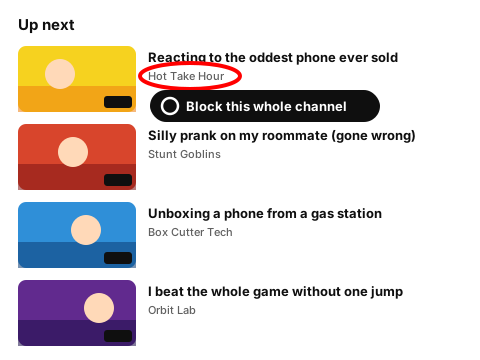
Drawing of an Up next list with one channel name ringed in red and a Block this whole channel badge

See it on a feed

Press Block channel on any card. Every video from that channel goes, in the feed and in Up next.

Made-up channels and videos. The rules behave the way they do in the extension.

Showing all 8 items. Nothing is hidden yet.

14:02
Filling my sister's garage with 5,000 paper planes

Stunt Goblins

27:41

I spent a whole night inside a furniture store

Graveyard Shift

11:55

Rubber snake prank on my dad (he jumped)

Stunt Goblins

11:58

Celebrity feud drama: what really happened

Daily Drama Recap

What YouTube gives you

If you want a channel gone everywhere, that's what the extension's Block channel button does. Start with the list below.

Channel list builder

Paste channel links, @handles or names, one per line. You get a clean list without duplicates. Copy it or save it as a file to import into the extension later. Nothing leaves your browser.

Your block list
@pranks-central
@DailyDramaRecap
UC1234567890abcdefghijkl
3 channels · 1 duplicate removed

How the extension blocks a channel

  1. 1

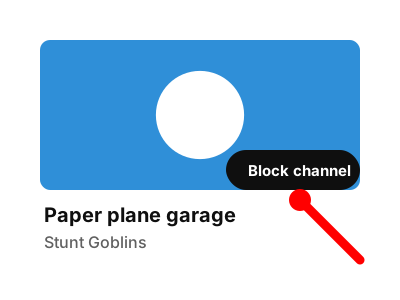
    Every video card on YouTube gets a small Block channel button. The channel page has one too.

    Drawing of a video card with a red pointer on its Block channel button
    The Block channel button on a video card (made-up channel).
  2. 2

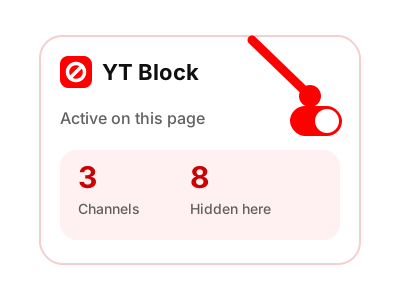
    Press it once. The channel's videos leave Home, search results and Up next.

    Drawing of the YT Block panel with its switch on and counters for channels and hidden videos
    The panel counts blocked channels and the videos hidden on the page.
  3. 3

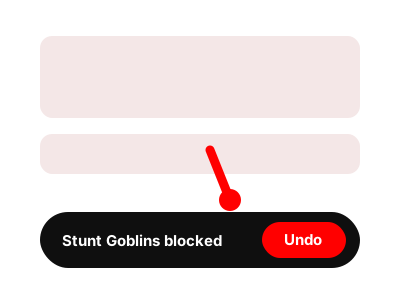
    Blocked a channel by mistake? Undo it from the notice that appears, or remove the channel from your list later.

    Drawing of a feed after blocking, with a red pointer on the notice and its Undo button
    The notice after blocking, with Undo.
  4. 4

    You can also paste a link or an @handle straight into the list, or import the file from the builder above.

If one channel isn't the problem and a topic is, the keyword filter works better. For a single video, use Hide video.

Questions about blocking channels

Will the channel know I blocked it?

No. The block exists only in your browser. Nothing is sent to YouTube or to the channel.

Does it hide the channel's comments too?

No, it hides their video cards. For comments and live chat, YouTube's own Block covers it.

Can I use it to keep a channel away from my kid?

On a shared computer in Chrome, yes: block the channel and set a PIN. A PIN slows people down but can't stop a determined kid, so this isn't full parental control.

Can I unblock a channel later?

Yes. Press Undo right after blocking, or remove the channel from your list at any time. If you set a PIN, you enter it first.

Block a channel once and stop seeing it

The extension puts a Block channel button on every video card.

Coming to the Chrome Web Store

Coming to the Chrome Web Store

The extension is being finished and isn't in the store yet. Until then, the tools on this site work right here in your browser.