 14:02
SG
Filling my sister's garage with 5,000 paper planes
Stunt Goblins
Add a few lines to your computer's hosts file and YouTube stops loading in every browser on that computer. The tool below writes the lines and the steps for Windows, macOS or Linux. If you only need YouTube blocked in Chrome, the extension does it with one switch.
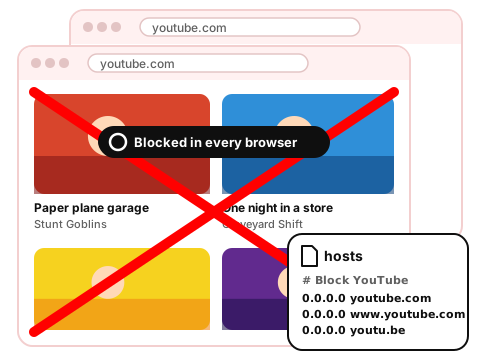
Your computer checks the hosts file before it asks a DNS server where a website is. Lines that point YouTube's addresses to 0.0.0.0 send those requests nowhere. Pick your system and the addresses to block, then copy the lines and follow the steps. Nothing leaves your browser.
C:\Windows\System32\drivers\etc, switch the file filter to All files and open hosts.ipconfig /flushdns.To undo: open the same file, delete the lines between the two # comments, save, and restart the browser.
sudo asks for your password.| Hosts file | Extension switch | |
|---|---|---|
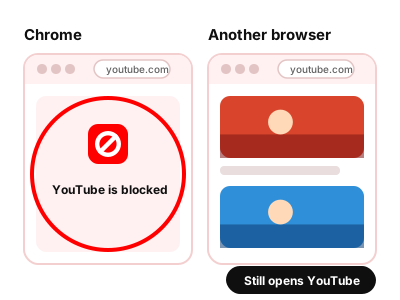
| Blocks YouTube in | Every browser on this computer | Only the browser it's installed in (Chrome) |
| Admin rights | Needed | Not needed |
| Turning it on | Paste the lines, save, restart the browser | One click |
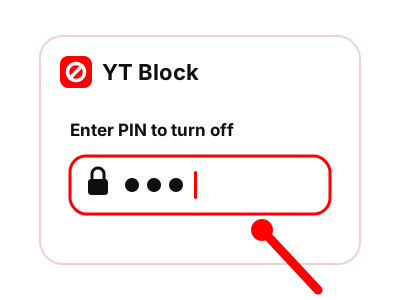
| Turning it off | Delete the lines by hand | One click, after the PIN if you set one |
Maybe you only need to remove part of YouTube. If a few channels pull you in, block those channels and keep the rest. If it's one video, you can hide just that video.
Turn on Block all of YouTube in the demo. The feed is replaced by a blocked page until you switch it off.
Made-up channels and videos. The rules behave the way they do in the extension.
One switch: youtube.com stops opening in this browser.
Showing all 6 items. Nothing is hidden yet.
14:02 27:41
 18:40
 22:17
 16:08
 11:55
Everything here matched your rules. On YouTube you'd see only what's left. Press Reset demo to bring it back.
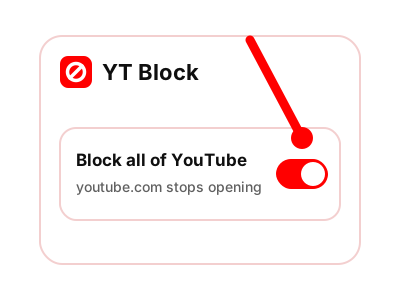
The same extension also hides channels, keywords, Shorts and recommendations, for days when you'd rather keep YouTube and drop the parts that pull you in. See the full feature list.
Yes, on this computer. Browsers on the computer read the same hosts file when they look up an address, so youtube.com fails to load in each of them. Phones and other computers on the same Wi-Fi are not affected.
Run the command from the steps that clears the DNS cache, then close the browser completely and open it again. A browser can remember an address it looked up a moment ago. If YouTube still loads, open the file and check that the lines are there. The editor can only save it with administrator rights.
Yes. Anyone with administrator rights on this computer can open the hosts file and delete the lines, the same way you added them.
No. The Block all of YouTube switch works inside Chrome and changes nothing on the system. That also means it blocks YouTube only in Chrome. A PIN keeps the switch from being turned off with one click.
It needs no administrator rights, and a PIN keeps you from turning it off on a whim.
Coming to the Chrome Web Store